Make a postcard-style card from your photos
Short answer
In Kins, pick four photos from an album and choose a Grid frame, or open one photo in Kins Camera and turn on DATE. Either way you get a postcard-style card to save or send.
Option 1: four photos on one card
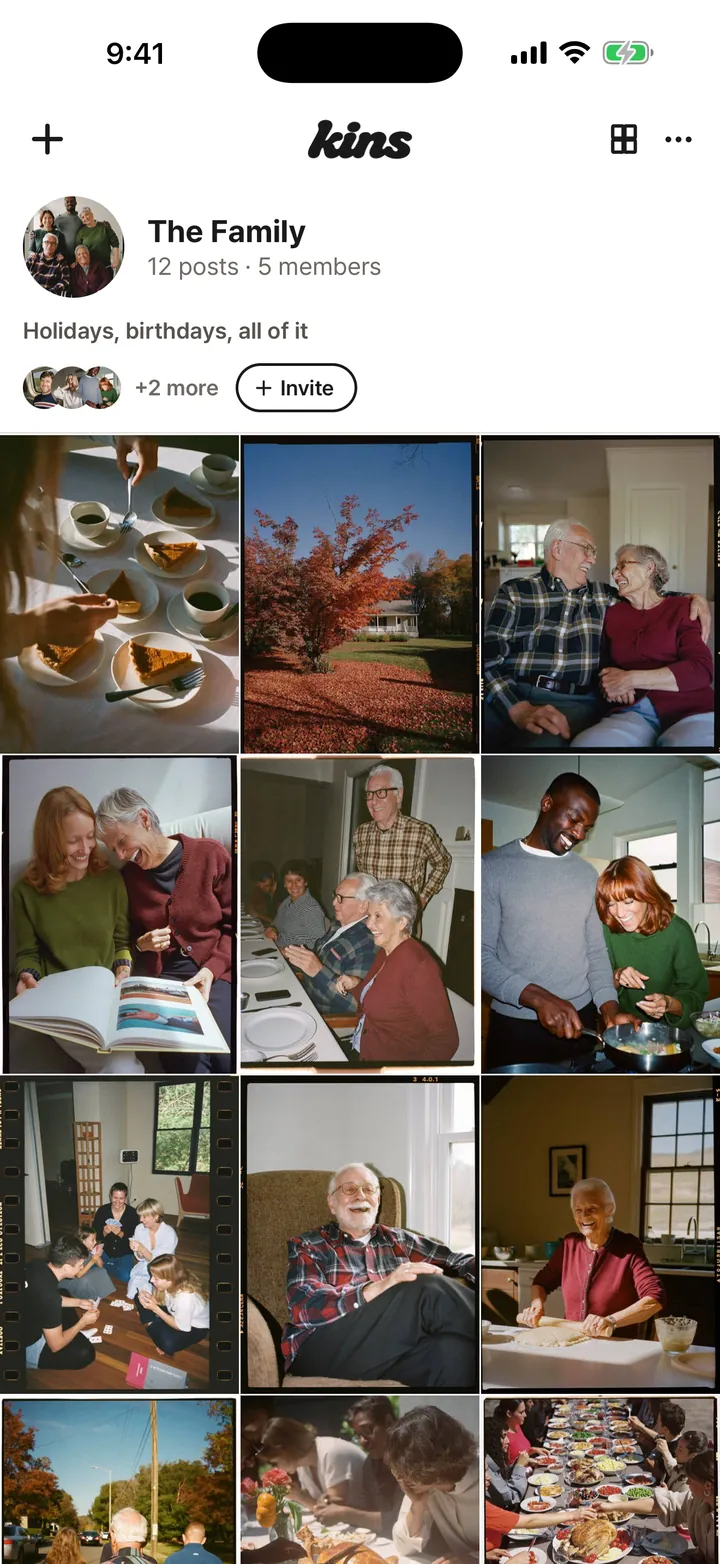
- Open an album and tap the photo-strip icon at the top right ("Make a photo strip").
- Pick four photos. Photos other members posted to the album count too.
- Choose a Grid frame for a 2×2 card, or a Strip frame for a tall strip. Each comes in white, black, gradient and stripes.
- Tap "Save to library" or "Share".

Option 2: one photo with the date in the corner
- Swipe right from Home to open Kins Camera, then tap Library and pick a photo. Or shoot a new one.
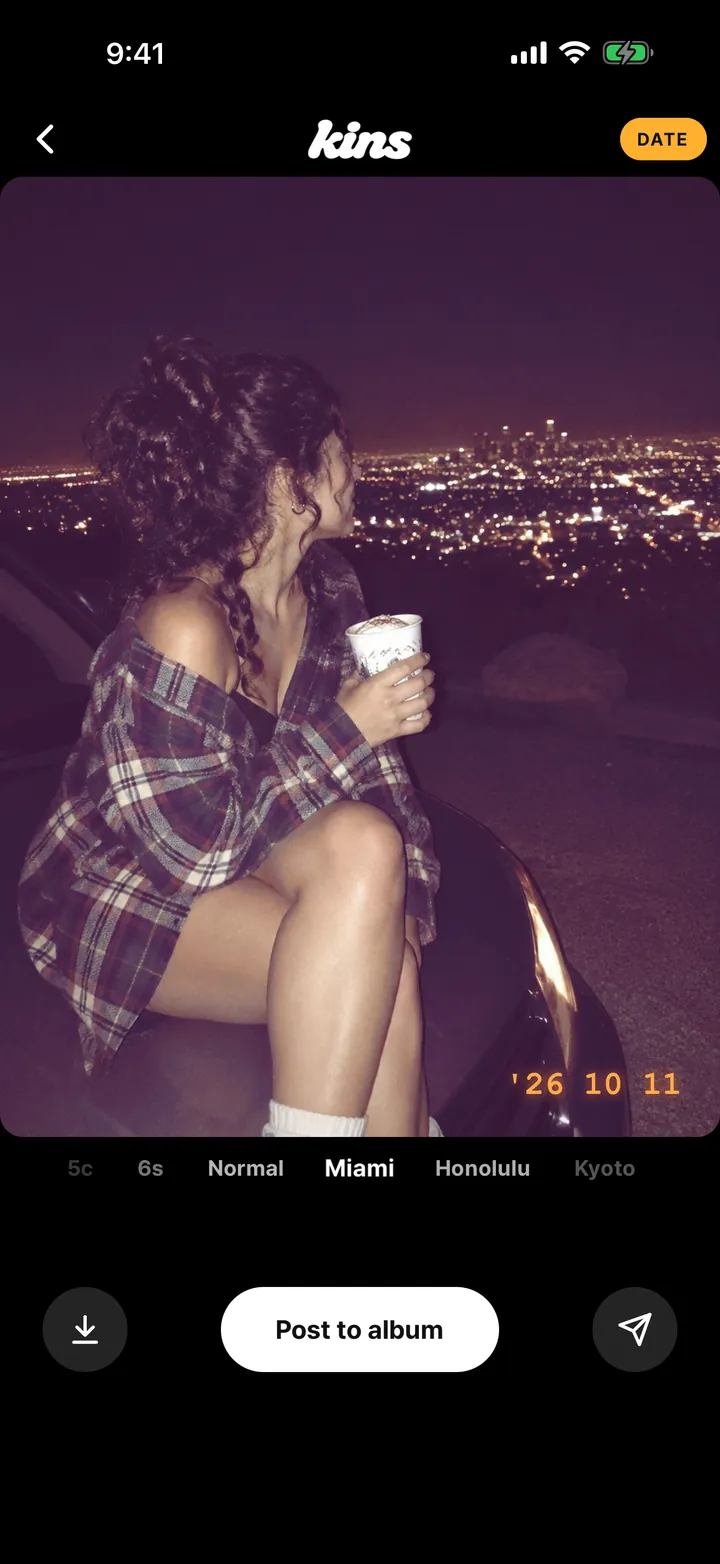
- Swipe across the photo to pick one of 24 film-style looks.
- Turn on DATE. The date the photo was taken goes in the bottom right in orange, like '26 10 11.
- Tap Save or Share. The photo goes out as a 9:16 card on black with a small Kins logo.

Good to know
- Kins doesn’t print or mail postcards. The card is an image on your phone that you can send by message or post to your story.
- Strip and Grid frames, the camera looks and the date stamp are all free.
FAQ
Can Kins print and mail my postcard?
No. Kins makes the card as an image on your phone. You can save it, send it by message or post it to your story.
Does the date stamp use today’s date?
Not for photos from your library. Kins uses the date saved with the photo, usually the day it was taken. A photo you just shot gets today’s date.
Is it free?
Yes. Photo strips, Grid frames, Kins Camera and the date stamp come with the free app.
Start with one link today. It’s free.