How to collect photos from a group with a QR code
Short answer
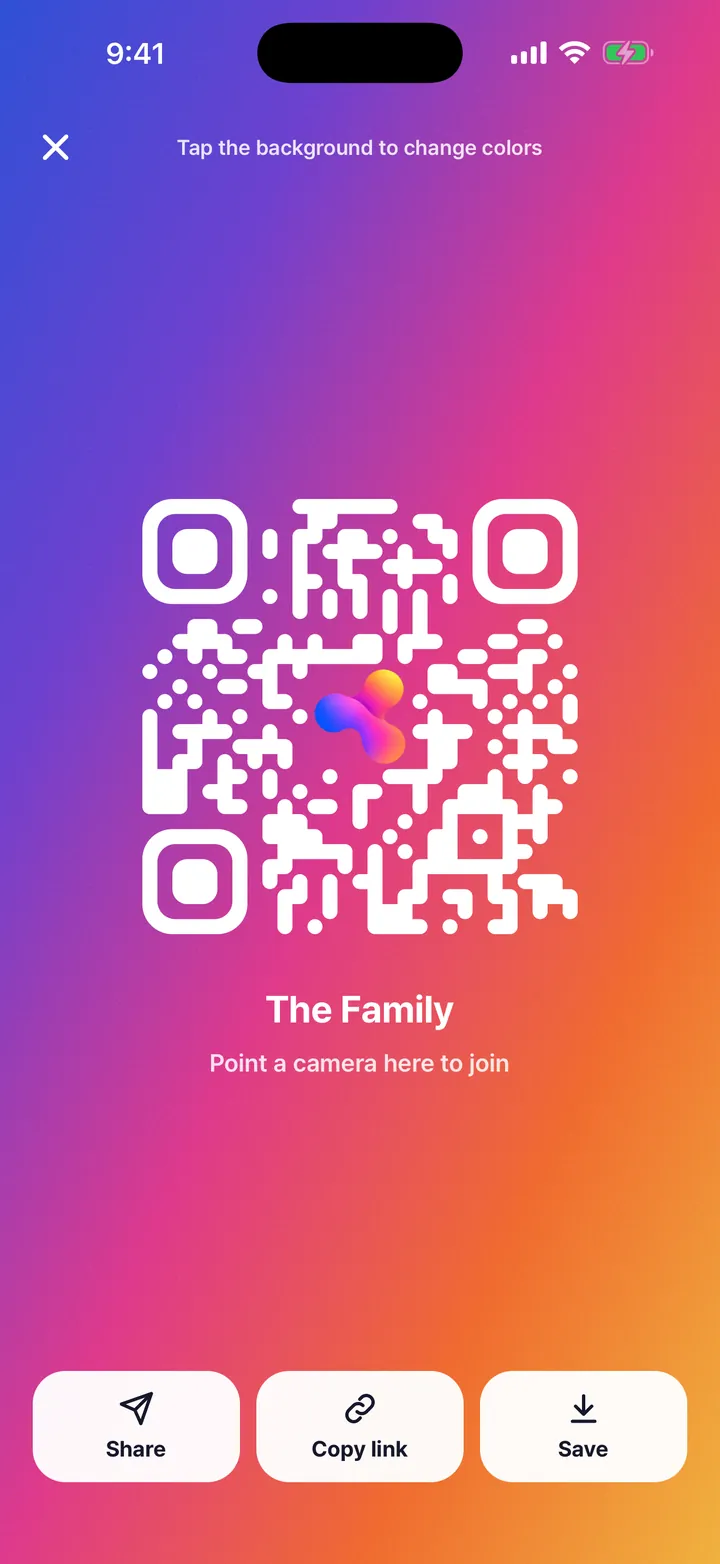
Open the album in Kins, tap Invite, then "QR code". People point their phone camera at it, install Kins, sign in with Apple or Google, and add their photos to the album.
Steps
- Create an album for the event.
- Tap Invite at the top of the album, then "QR code". Tap the background to change its colors.
- People scan it with their phone camera. They install Kins, sign in with Apple or Google, and the album opens.
- Everyone posts what they shot to the same album.
QR code or link?
| QR code | Invite link | |
|---|---|---|
| Best when | People are right next to you | People are in a group chat |
| How they join | Point a camera at the screen | Tap the link |
| Where it leads | The same album | The same album |
Good to know
- Tap Save on the QR screen to keep the code as an image, for a table card or a sign.
- Want people outside the group to only look? Set the album to "View by link": anyone with the link can browse, and only invited members add photos.
FAQ
Do guests need to download an app?
Yes. To add photos, guests install Kins and sign in with Apple or Google. Kins is on the App Store and Google Play.
Can I print the QR code?
Yes. Tap Save on the QR screen to keep it as an image, then print it however you like.
Is it free?
Yes. Albums, invite links and QR codes are free.
Start with one link today. It’s free.